Mockups & backdrops
Put any capture in a browser or device frame on a gradient, add 3D tilt and export at social sizes.
Z-Shot is a Chrome extension for full-page screenshots, screen recording with a built-in video editor, annotation, mockups and step-by-step guides. It runs in your browser — nothing is uploaded unless you choose to.
Works in every Chromium browser
Stop switching between a snipping tool, an image editor, a screen recorder and a video editor. Z-Shot does all four, inside the browser you already use.
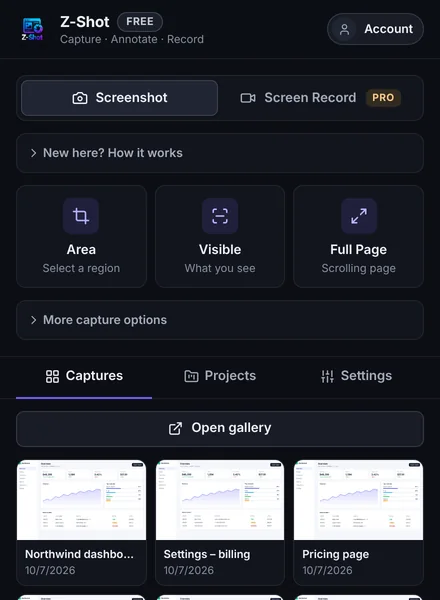
Grab a region, the visible area, a whole scrolling page or a single element. Add a 3 or 5 second countdown to catch menus and hover states.
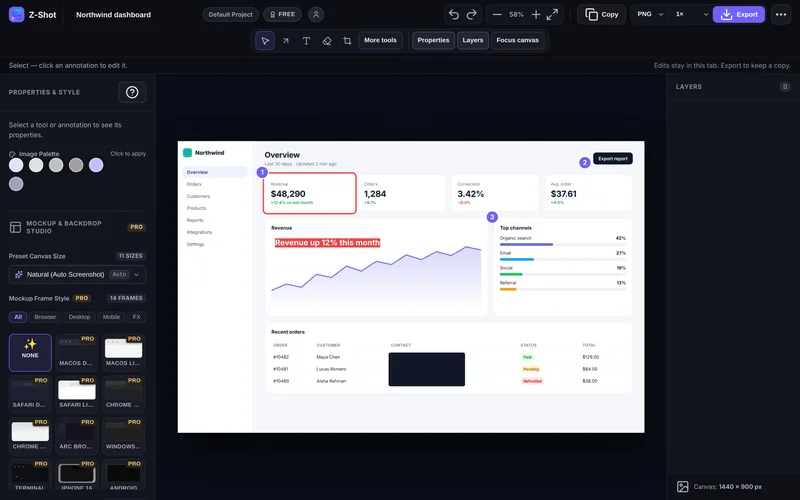
Arrows, shapes, text, numbered steps, spotlight, blur and solid redaction — with layers, undo and a command palette when you want speed.
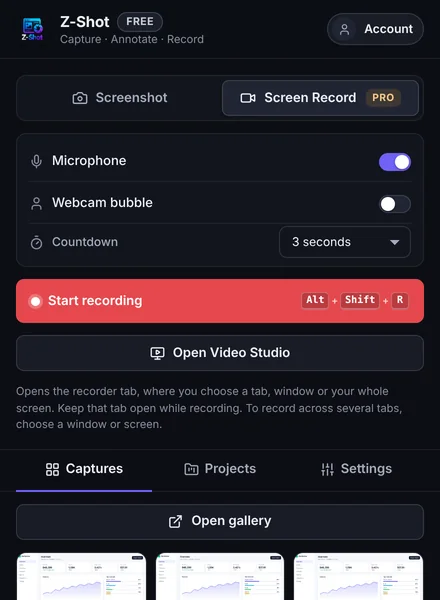
Record a tab, a window or your whole screen with microphone audio and an optional webcam bubble. Trim it, then save as video or a short GIF.
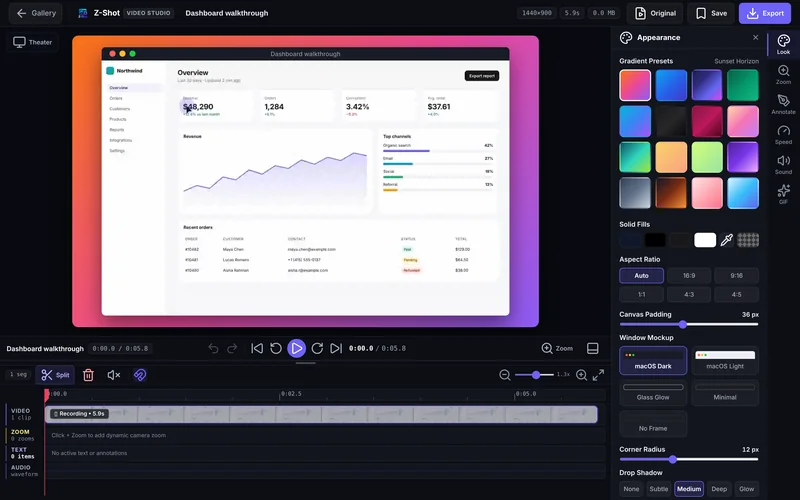
Turn a raw screen recording into a polished demo without leaving your browser. Cut it, frame it, zoom in on what matters and export.
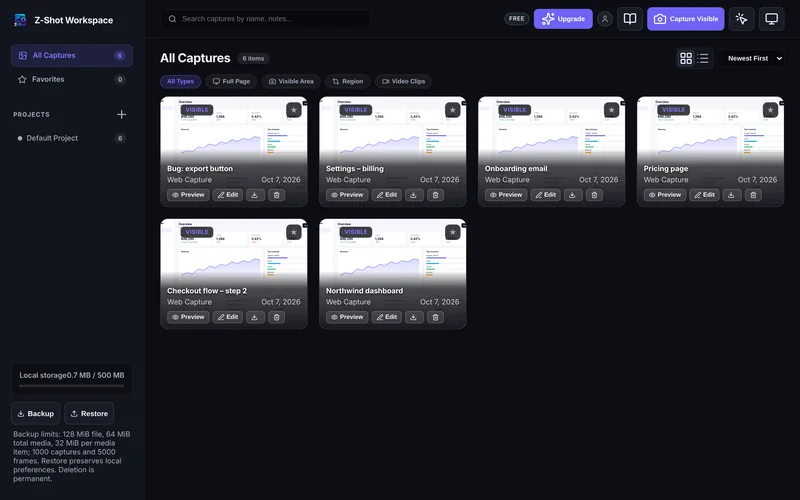
Captures and recordings land in a searchable gallery. Group them into projects, star favourites and back everything up to a file.
Put any capture in a browser or device frame on a gradient, add 3D tilt and export at social sizes.
Finds emails, phone numbers, card numbers, API keys and IP addresses so you can hide them before sharing.
Copy text out of any image — screenshots, photos, even handwriting. 17 languages, on your device.
One click adds the page URL, browser, OS and screen size, formatted for GitHub or Jira.
Upload to Imgur, your own S3/R2/MinIO bucket or a webhook — or simply copy and paste.
Add your logo as a watermark, pick custom colours and keep exports on brand.
Captures, recordings and edits live in local browser storage. Nothing reaches our servers unless you send it to your team.
Text recognition and redaction run locally. Images are never uploaded to read them.
An image only leaves your device when you copy it, download it, upload it to a destination you set up or send it to your team.
Install it from the Chrome Web Store and pin it to your toolbar.
Click the icon or use a shortcut. Your capture opens in the editor.
Annotate, then copy, download or upload — it’s already in your gallery.
The free plan covers everyday screenshots. Pro adds recording, mockups, OCR, auto-redaction and more.
Core capture and annotation tools, free forever.
No account or card needed
Every Pro feature for one creator on up to 3 devices.
Billed monthly, cancel anytime
Billed $49.99 yearly
Every Pro feature with more devices, unlimited storage and priority support.
Billed monthly, cancel anytime
Billed $89.99 yearly
Every Pro feature for teams, billed per seat.
Minimum 3 seats
Billed $69.99 per seat yearly
Compare every feature → · 14-day money-back guarantee
Yes. The free plan never expires and needs no account: area, visible and full-page capture, annotation, blur and PNG/JPEG/WebP export. Pro plans add screen recording, mockups, OCR, auto-redaction and more.
No. Captures and recordings are stored in your browser. They only leave your device when you copy, download or upload them to a destination you configured (Imgur, your own bucket or a webhook). Signing in and license checks talk to ztooly.com, but never send your images.
Chrome and other Chromium browsers such as Edge, Brave, Opera and Arc (Chrome 106 or newer). Firefox and Safari are not supported.
Not for the free plan. For Pro, you buy once on this site and either sign in inside the extension or paste your license key.
Yes. Capturing and editing work offline. Pro features keep working for 24 hours after the last successful license check.
Yes. Cancel from My Account and you keep Pro until the end of the period you paid for. If Z-Shot isn’t right for you, ask for a refund within 14 days.
Still have a question? support@ztooly.com
Free to install. No account. Upgrade only if you need Pro.